Accounts receivable
follow-up, drafted
and tracked.
An automated AR system that monitors your aging report, prepares customer follow-ups, flags overdue accounts, and gives finance leaders one view of collection progress.
What is ICS Compute Finance Automation?
ICS Compute Finance Automation is an accounts receivable automation system designed to help finance teams manage invoice follow-up, overdue accounts, and collection activity.
It uses existing ledger, aging, invoice, payment, and customer account data to monitor receivables, identify accounts that require attention, prepare follow-up messages, and provide finance leaders with a consolidated view of collection progress.
The system automates repeatable AR tasks while keeping finance teams in control of message approval, tone, escalation rules, and customer communication.
Cash gets stuck
when
follow-up depends on manual chasing..
Finance teams know which invoices are overdue. The problem is the manual work around them: checking the ledger, finding the right contact, drafting reminders, matching payments, and knowing which accounts need escalation.
Follow-up workload
Finance staff spend too much time preparing reminders and checking payment status by hand.
Overdue accounts
Invoices can fall through scattered folders, spreadsheets, email threads, and manual handoffs.
Collection cycle
Without structured follow-up, payment collection can drift longer than expected.
Working capital
Unpaid invoices keep earned revenue tied up instead of available for the business.
Six steps.
Four of them autonomous.
Your finance team sets the rules, tone, approval flow, and escalation policy. The system standardizes the AR workflow, monitors accounts, drafts outreach, and keeps leadership informed.
.png)
.png)
.png)
.png)
.png)
.png)
AI drafts the message. A human still approves what gets sent.
What your team actually sees.
Live dashboard, aging overview, collection progress, overdue account flags, and pending outreach drafts in one view.
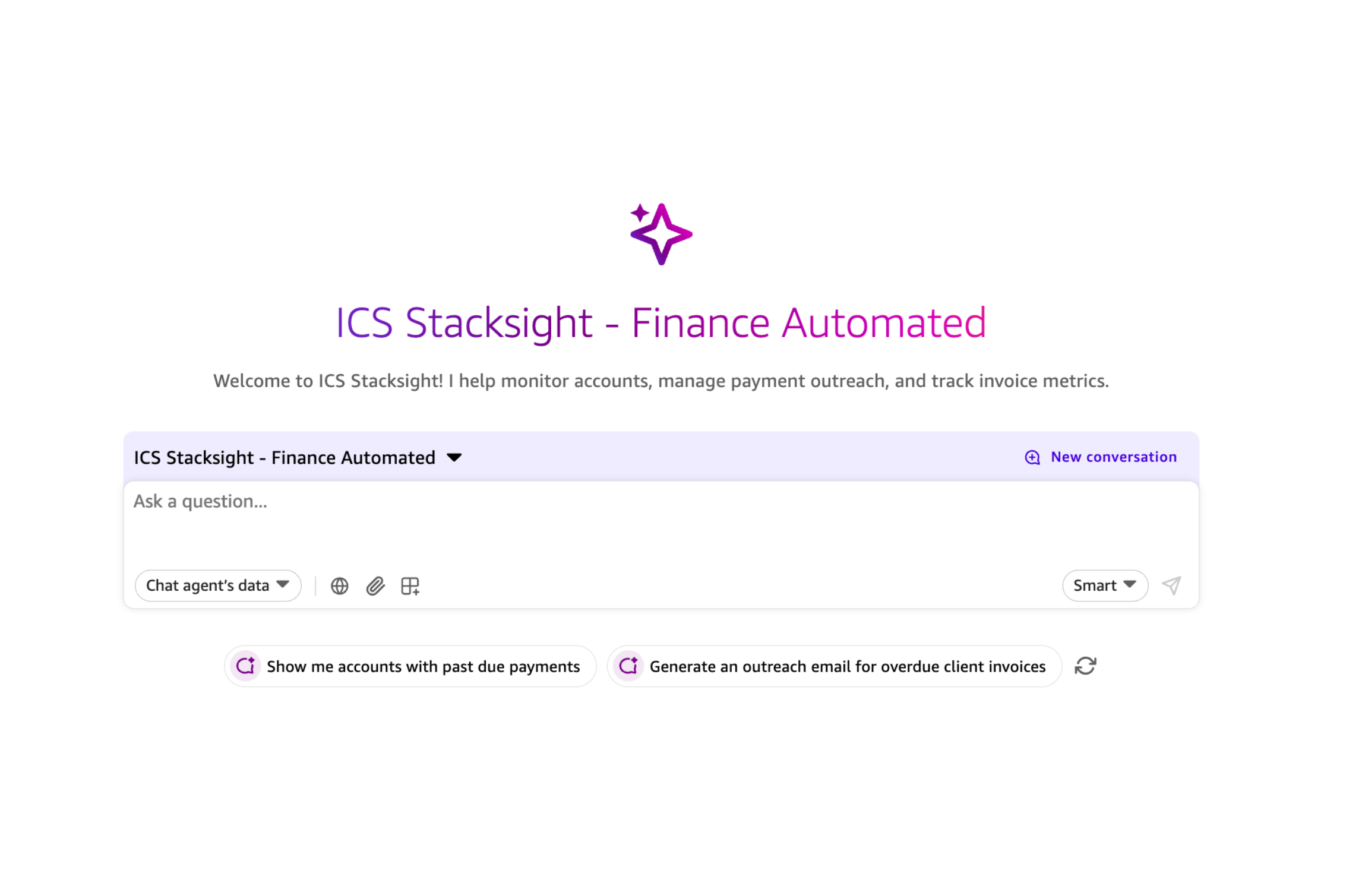
Cleaner AR follow-up.
Better cash visibility..
-
Less manual follow-up work
Finance teams review prepared outreach instead of drafting every reminder from scratch.
-
Clearer collection priorities
Overdue, high-value, and high-risk accounts are surfaced for faster action.
-
More consistent customer outreach
Follow-up tone, timing, and approval rules become easier to standardize across the team.
-
Leadership visibility
Finance leaders can see collection progress without waiting for manual reporting.
Questions about accounts receivable automation
Common questions from finance, accounts receivable, operations, and technology teams evaluating AR automation.
What is accounts receivable automation?
Accounts receivable automation uses software to reduce repetitive work involved in monitoring invoices, following up on overdue payments, tracking collection activity, and maintaining visibility over outstanding receivables. It can help finance teams standardize collection workflows while keeping important decisions and customer communication under human control.
Who is this accounts receivable automation system for?
ICS Compute Finance Automation is designed for finance and accounts receivable teams that manage recurring invoice collection and overdue customer accounts. It is particularly relevant for companies where collection follow-up depends heavily on spreadsheets, manual ledger checks, email threads, and individual reminders.
How does ICS Compute Finance Automation work?
The system uses existing AR data such as aging reports, invoices, payment updates, and customer account information as the basis for collection follow-up. It monitors overdue accounts, prepares outreach drafts, highlights accounts that may require escalation, and gives finance leaders visibility into collection activity and outstanding receivables.
Can the system prioritize overdue accounts?
Yes. The system can monitor aging status and surface overdue, high-value, or higher-risk accounts that may require earlier attention. The prioritization rules can be aligned with the finance team's existing collection and escalation policies.
Are payment reminders sent automatically?
The system can prepare customer follow-up messages based on the finance team's defined tone, timing, and collection rules. Human review can remain part of the workflow before messages are sent, allowing finance teams to control customer communication and exceptions.
Can Finance Automation integrate with existing ERP or accounting systems?
The system can work with existing sources such as ledgers, aging reports, spreadsheets, ERP systems, accounting platforms, and other AR data sources. The exact integration approach depends on the company's current architecture, available APIs, data format, and finance workflow.
How can accounts receivable automation help improve DSO?
Accounts receivable automation can support DSO improvement by making overdue accounts easier to identify, standardizing follow-up activity, reducing missed collection actions, and giving finance teams clearer visibility into payment status.
In one ICS Compute Finance Automation implementation, Days Sales Outstanding decreased from 64 days to 44 days after improving collection follow-up and AR visibility.
Actual results vary depending on customer payment behavior, credit terms, collection policies, and the company's existing AR process.
What is reviewed during the Finance Automation assessment?
ICS Compute reviews the company's current aging report, collection workflow, follow-up process, payment tracking, and escalation rules. The assessment is used to identify where repeatable AR work can be automated and where human approval or finance-team intervention should remain part of the process.
Show us your aging report.
We'll show you where
cash
is getting stuck..
We review your current AR workflow, map overdue-account follow-up, and identify where automation can improve visibility, consistency, and collection discipline.
Free operational assessment
We analyze your collection workflow, aging report, follow-up process, and escalation rules to identify where AR automation can help first.