Your store cameras
can do more than
record footage.
A computer vision layer that uses your existing cameras to detect empty shelves, misplaced products, queue pressure, and planogram issues.
What is ICS Compute Computer Vision Retail?
ICS Compute Computer Vision Retail is a computer vision system designed to turn existing store camera footage into operational signals for retail teams.
Where camera angle and coverage are suitable, the system monitors selected shelves, aisles, displays, and checkout areas to identify issues such as shelf gaps, misplaced products, planogram exceptions, and queue pressure.
Detected issues can be surfaced through alerts and operational dashboards, while store teams and headquarters remain responsible for priorities, thresholds, and the actions taken in response.
Store issues
are expensive when teams see them late.
Store managers cannot watch every aisle, checkout line, and display at once. Existing cameras already capture the signals, but most footage is only used after something has gone wrong.
Shelf gaps
Empty shelves are easy to miss until customers leave without buying
Manual checks
Store audits and floor checks often happen after the issue has already affected sales.
Camera data
Existing cameras record useful operational signals, but the footage is rarely connected to store workflows.
Service signals
Long queues, misplaced products, and layout issues are often handled reactively.
Five steps.
Three of them always-on.
Store operations and merchandising set priorities, thresholds, and action plans. The system watches selected camera zones and surfaces the issues that need human attention.
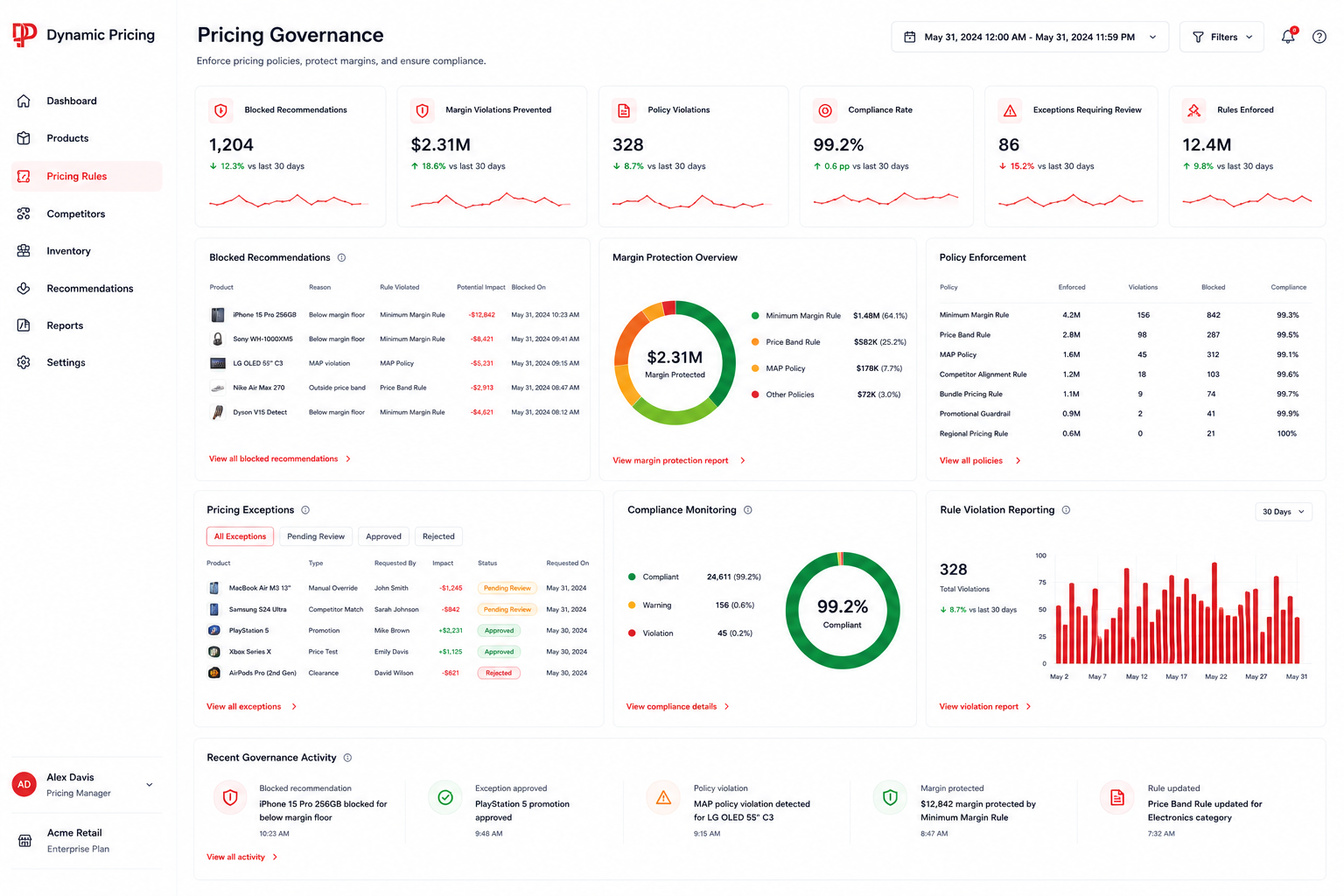
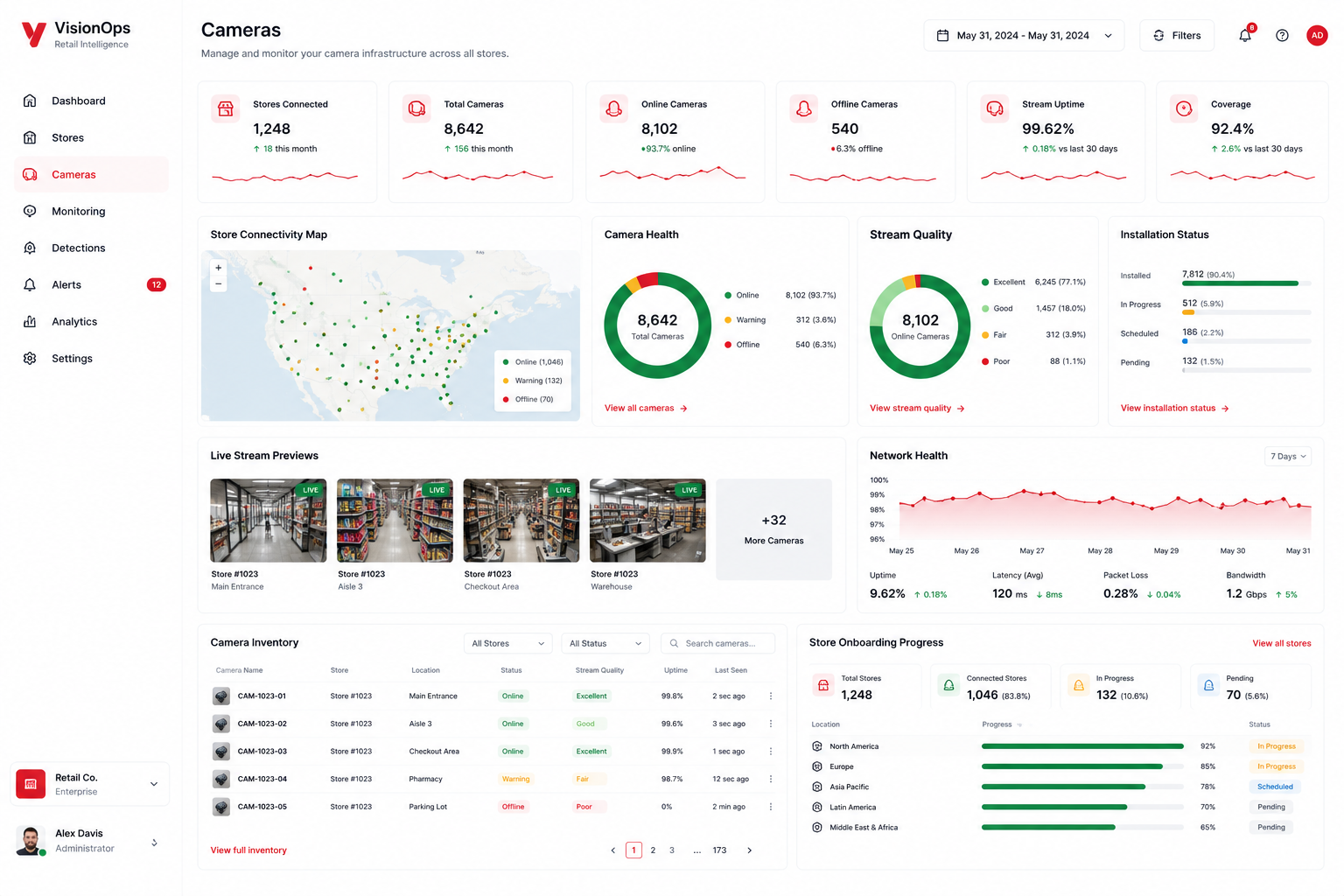
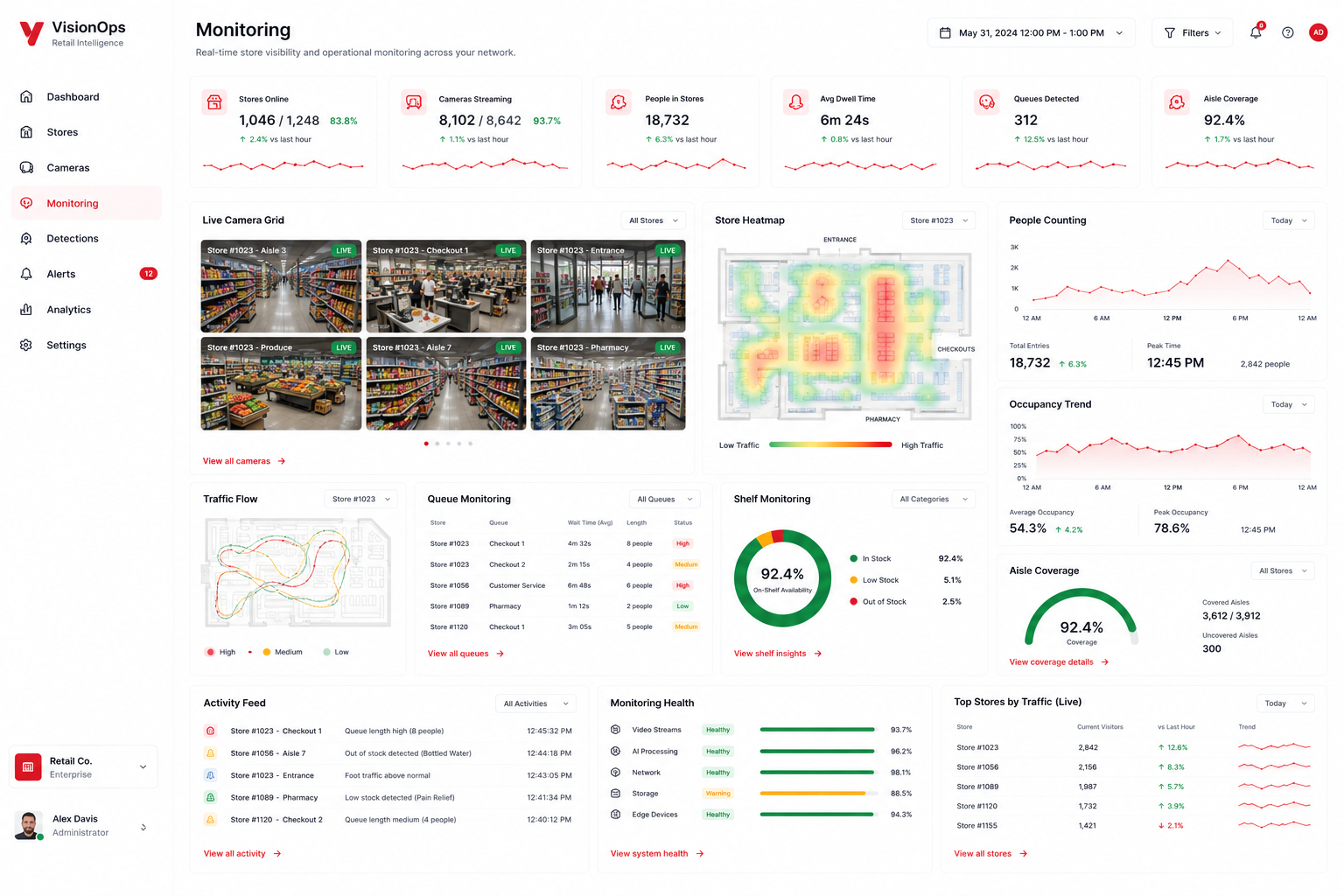
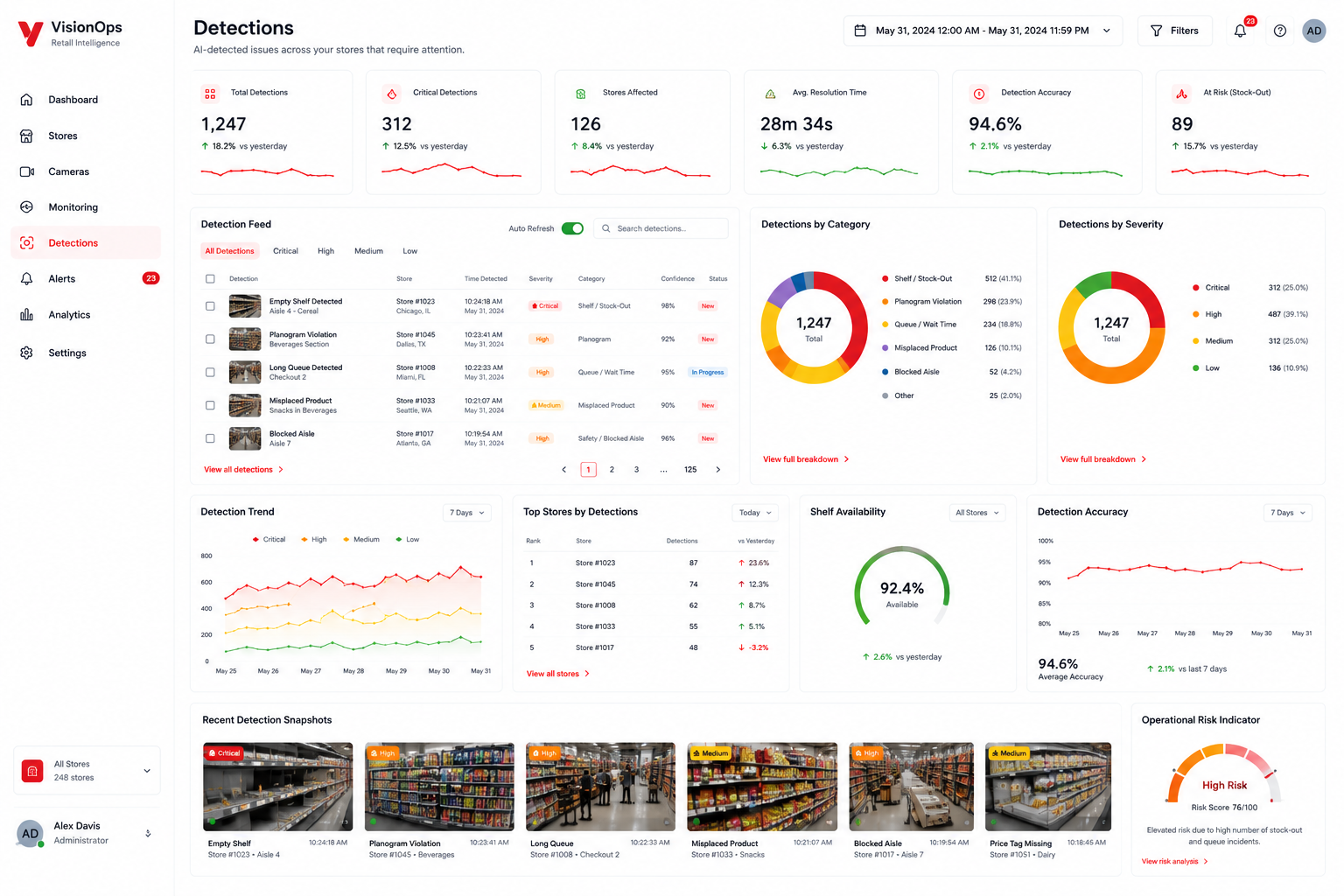
No new cameras. No hardware replacement. Just operational intelligence from the cameras you already have.
What your team actually sees.
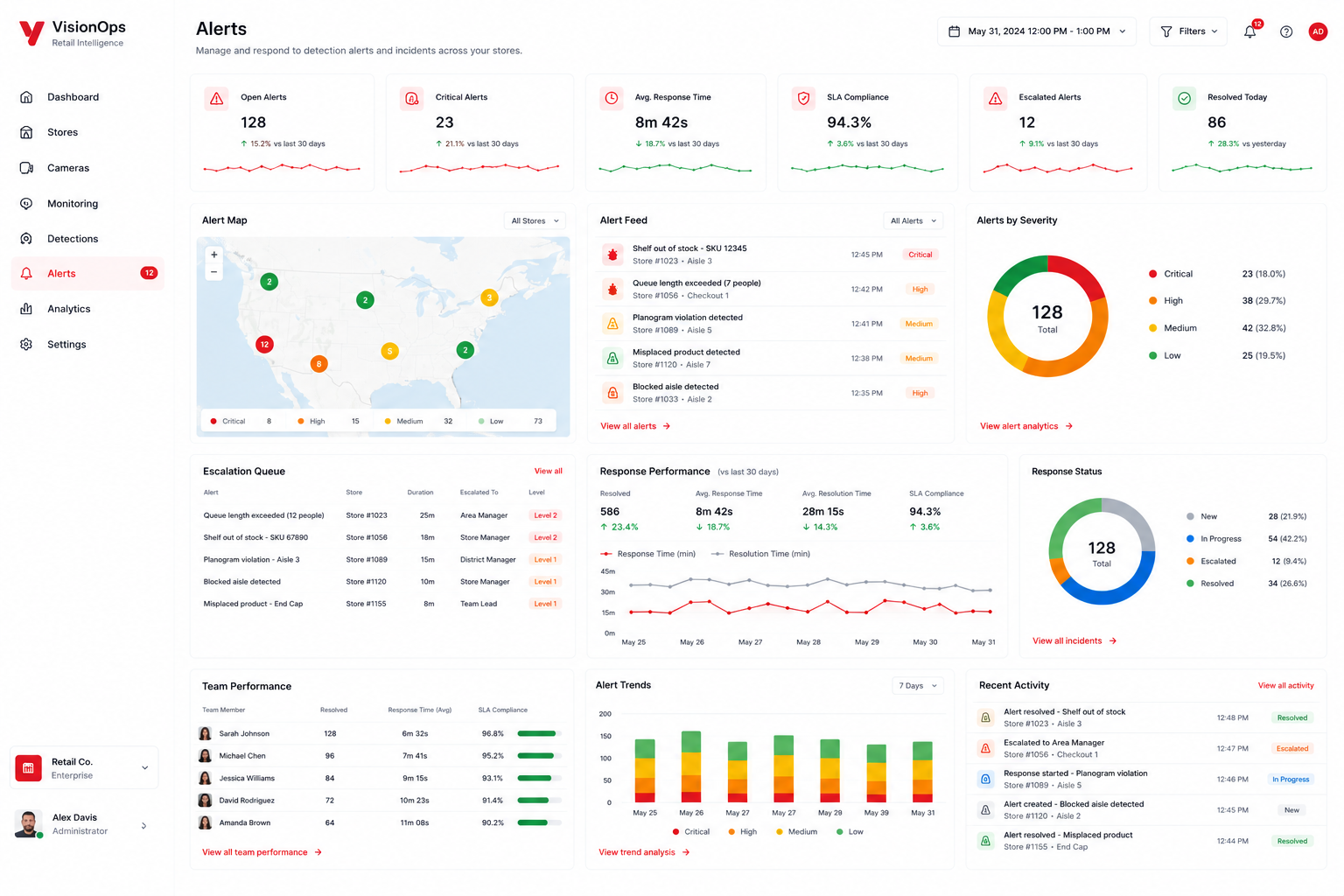
Live dashboard, camera feeds, shelf alerts, planogram compliance, queue analytics, and store-level trends in one view.
Turn store footage
into operational action.
-
Faster shelf recovery
Store teams get clearer signals when shelves, displays, or product placement need attention.
-
Better planogram control
Continuous monitoring can reduce reliance on periodic audits. Misplaced products can be surfaced earlier for store teams to correct.
-
No new camera rollout
The system starts with the cameras you already have, where the angle and coverage support the use case.
-
Live queue intelligence
Checkout pressure becomes visible as a signal store teams can act on.
Questions about retail computer vision
Common questions from retail operations, merchandising, store leadership, and technology teams evaluating computer vision for store operations.
What is retail computer vision?
Retail computer vision uses camera footage and image analysis to identify operational conditions inside a store. Depending on the use case and camera coverage, it can help teams monitor shelves, displays, checkout areas, and other selected zones so issues can be surfaced for review instead of relying only on periodic manual checks.
Who is ICS Compute Computer Vision Retail for?
ICS Compute Computer Vision Retail is designed for retailers that want greater operational visibility across stores using existing camera infrastructure where suitable. It is relevant for store operations, merchandising, retail leadership, and technology teams that need earlier signals around shelf conditions, planogram execution, and queue pressure.
What can the system detect in a retail store?
The system can be configured to monitor selected retail conditions such as shelf gaps, misplaced products, planogram exceptions, and queue pressure. The exact use cases depend on camera placement, image quality, store layout, and the operational priorities defined during implementation.
Does Computer Vision Retail require new cameras?
ICS Compute Computer Vision Retail is designed to work with existing store cameras where camera placement, angle, image quality, and coverage are suitable for the required use case. Camera suitability is evaluated before monitoring zones and detection scenarios are configured.
How does the system detect shelf gaps and misplaced products?
The system analyzes footage from selected shelf and display zones and compares observed conditions with the rules or reference conditions configured for that use case. Potential shelf gaps or misplaced products can then be surfaced for store teams to review and act on.
How does computer vision support planogram compliance?
Computer vision can help monitor whether selected shelves or displays appear consistent with configured merchandising expectations. Potential planogram exceptions can be surfaced for review, giving store and merchandising teams earlier visibility into areas that may need correction.
How does the system help with queue management?
The system can monitor selected checkout or service areas for queue pressure and surface operational signals when predefined conditions are detected. This can give store teams earlier visibility into congestion so they can decide whether staffing or operational adjustments are needed.
How is a store evaluated before deployment?
ICS Compute begins by reviewing the store environment, camera coverage, relevant operational zones, and the use cases the retailer wants to monitor. This assessment helps determine whether existing camera placement and image quality are suitable and which detection scenarios can be configured for testing.
Pick a store.
We'll show you what your cameras already see.
We review your current camera coverage, map the best shelf, queue, and compliance use cases, and show which store workflows are ready for computer vision.
Single-store assessment
We assess one store’s existing camera coverage and identify practical use cases for shelf alerts, layout compliance, and queue analytics.